Key Specifications for Streaming Cameras in B2B

application/streaming-camera, application/streaming-camera, 
Inquiry
Inquiry

Streaming camera

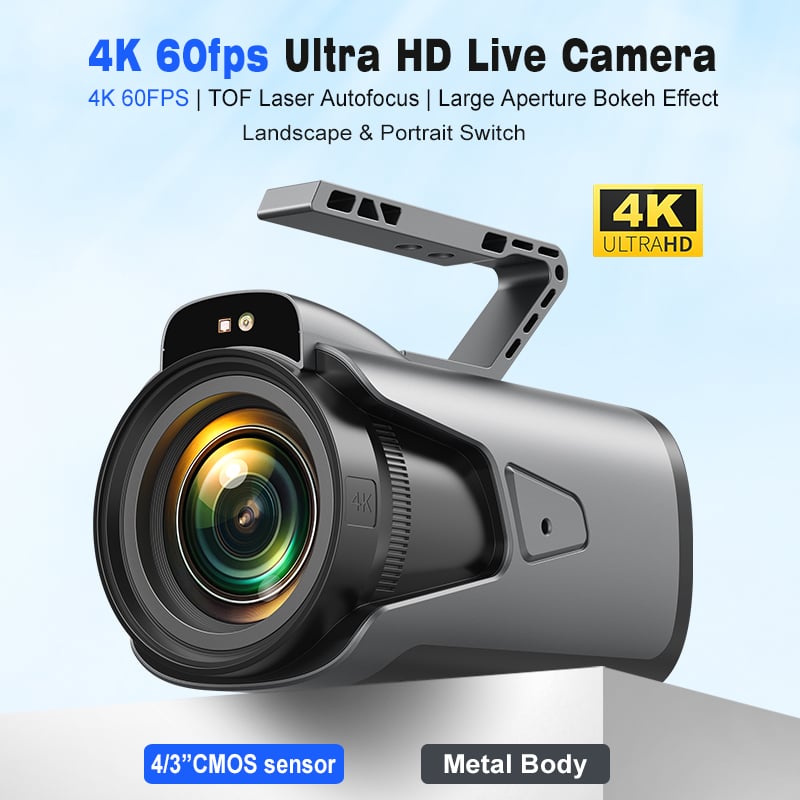
Streaming cameras have become essential tools for businesses looking to enhance communication, training, and presentations across various sectors, including enterprise, education, and telemedicine. These cameras facilitate real-time video streaming, allowing for seamless interactions and presentations. As a B2B buyer, understanding the specifications, installation requirements, and potential issues related to streaming cameras is crucial for making an informed purchasing decision. This article will guide you through key specifications to consider, cost factors for bulk orders, installation guidance, common problems and solutions, and diverse applications across industries. 

Cost Factors to Consider for Bulk Orders of Streaming Cameras

When planning a bulk purchase of streaming cameras, several cost factors should be taken into account to optimize your investment: 

Unit Price: The base price per unit often decreases with larger orders due to volume discounts. Request quotes from multiple suppliers to compare pricing effectively. 

Customization Options: Custom features such as branding or specific technical specifications may increase the unit price. Clearly define your requirements to suppliers to avoid unexpected costs. 

Shipping Costs: Depending on your location and the supplier's shipping policies, transportation costs can significantly affect the overall budget. Evaluate shipping options and timelines to ensure they align with your needs. 

Warranty and Support Services: Consider the warranty duration and any included support services. A more extended warranty may offer peace of mind, but it could come at an additional cost. 

Payment Terms: Negotiate payment terms that suit your budget cycle, as this can influence your cash flow. Some suppliers may offer financing options that spread costs over time. 

Installation Guidance for Optimal Use of Streaming Cameras

Proper installation of 4k PTZ streaming camera is critical to achieving optimal performance. Here are some key considerations: 

Location: Position the camera at an appropriate height and angle for the best coverage. For conference rooms, mounting the camera at eye level is ideal, while classrooms may require different placements to capture all participants. 

Lighting Conditions: Ensure the installation area has suitable lighting. Excessive glare or insufficient light can affect video quality. Implement ambient lighting solutions that provide even illumination without harsh shadows. 

Connectivity Setup: Confirm that all necessary cables (USB, HDMI, etc.) are routed properly, avoiding tripping hazards. Ensure your network connection is robust to support high-quality streaming without interruptions. 

Testing: After installation, conduct thorough testing to evaluate video and audio quality. This step is crucial to identify any issues before going live, allowing for adjustments as needed. 

Integration with Software: Ensure compatibility with your chosen streaming software. Conduct trials to confirm that the camera integrates smoothly with platforms used for video conferencing or webinars. 

Common Problems with Streaming Cameras and Their Solutions

Despite their advantages, streaming cameras can encounter specific challenges. Here are common problems and recommended solutions: 

Poor Video Quality: This issue can arise from low resolution or inadequate lighting. Ensure the camera's resolution settings are optimized, and improve room lighting as necessary. 

Audio Distortion: Background noise or echo may distort audio quality. Employ microphones with noise-cancellation features and consider acoustic treatments in the room to minimize echo. 

Connectivity Issues: Loss of connection during streaming can disrupt meetings. Regularly check cable connections, ensure the network is stable, and have backup connectivity options available if needed. 

Tracking Malfunctions: AI auto-tracking features may not function correctly in certain scenarios, such as when multiple speakers are present. Familiarize yourself with the camera settings and test tracking before important events. 

Software Compatibility: Some cameras may not work seamlessly with specific video conferencing software. Verify compatibility with your existing systems and consult the manufacturer for recommended setups. 

Applications of Streaming Cameras in Various Industries

Streaming cameras serve diverse applications across multiple sectors. Here are some notable uses: 

Education: In educational settings, streaming cameras facilitate remote learning by allowing educators to deliver lectures to students in real-time, regardless of their location. They also support recording lectures for later access. 

Telemedicine: Healthcare providers use streaming cameras for virtual consultations, enabling doctors to assess patients remotely. High-quality video and audio are essential in ensuring effective communication. 

Corporate Meetings: Businesses utilize streaming cameras for virtual meetings, providing a professional platform for remote collaboration. Their ability to capture high-definition video enhances communication and engagement. 

Event Broadcasting: Streaming cameras are integral to broadcasting events such as conferences, seminars, and product launches. They allow wider audience reach, increasing engagement and participation. 

Surveillance: In security applications, wireless webcam for streaming can monitor facilities in real-time, providing critical data for safety and security measures. 

By understanding the specifications, cost factors, installation guidance, common challenges, and applications of streaming cameras, B2B buyers can make informed decisions that enhance their operational capabilities. 

Key Specifications to Consider When Buying Streaming Cameras

When selecting a live streaming camera, several key specifications should be evaluated to ensure it meets your operational needs. 

Video Resolution: The resolution, often expressed as 4K, 1080p, or 720p, significantly impacts the clarity of the video. Higher resolutions provide crisper images, which are particularly valuable in professional settings where detail is essential. 

Field of View (FOV): The FOV indicates how much area the camera can capture. A wider FOV is beneficial for conference rooms or classrooms, ensuring all participants are visible without the need for multiple cameras. 

Frame Rate: Measured in frames per second (FPS), this affects how smooth the video appears. For example, a frame rate of 30 FPS is standard for most streaming applications, but higher rates may be preferred for fast-moving content. 

Audio Quality: Integrated microphones with noise reduction capabilities enhance audio clarity, an essential feature for effective communication. Ensure the camera supports high-quality audio input, particularly for larger spaces. 

Connectivity Options: Streaming cameras typically offer various connectivity options, including USB, HDMI, and network connections. Consider compatibility with existing equipment and ease of integration into your setup. 

AI Features: Advanced models may include AI functionalities like auto-tracking, which automatically adjusts the camera angle based on speaker movement. This feature is particularly useful in dynamic environments like classrooms or conference settings. 

Frequently Asked Questions

What features does the streaming camera offer?

Our streaming camera delivers 4K video, AI auto-tracking, built-in array microphones, noise reduction, and compatible audio amplification for professional conferencing and telemedicine.
Yes. The camera supports UVC plug-and-play over USB and is compatible with common streaming and conferencing software used in enterprise and education.
Absolutely. We offer OEM/ODM customization for hardware, firmware, and branding to meet specific enterprise, education, or telemedicine requirements.
The streaming camera meets CE, FCC, and RoHS certifications, ensuring regulatory compliance for global deployment in professional environments.
AI auto-tracking follows speakers smoothly using onboard algorithms, while digital noise reduction and array microphone processing improve voice clarity in noisy rooms.

Get a Free Quote

Our representative will contact you soon.
0/1000