Webcam for YouTube Streaming: Key Considerations

application/Webcam-for-YouTube-Streaming, application/Webcam-for-YouTube-Streaming, 
Inquiry
Inquiry

Webcam for YouTube Streaming

Webcams for YouTube streaming have become essential tools  for content  creators,  businesses, and educational institutions aiming to deliver high-quality video  experiences. As a purchasing manager  or product manager, understanding the  nuances of these devices including specifications,  installation considerations, and common issues will  empower  you to make informed decisions.  This YouTube streaming article  will guide you  through  key  considerations  when selecting  a  webcam for  YouTube streaming, ensuring you choose a product  that  meets your specific needs. 

Understanding Specifications for High-Performance Streaming Webcams

Understanding Specifications for High-Performance Streaming Webcams

Understanding the specifications of webcams is  crucial for making an informed purchase. Here's a breakdown of key specifications to consider: 

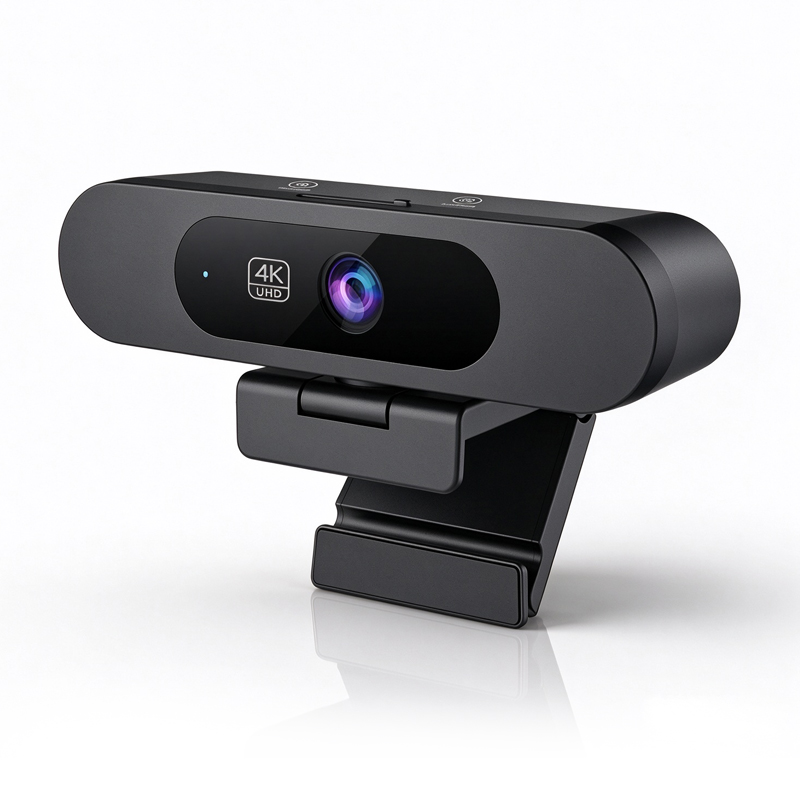
Resolution: This indicates  the clarity  of the video. For YouTube streaming, a  minimum of 1080p (1920 x 1080  pixels) is recommended,  while 4K (3840 x 2160 pixels) offers superior quality, making it ideal for professional broadcasts. 

Sensor Type: CMOS sensors are common in modern windows hello with webcam and provide better low-light performance compared to  older CCD sensors. The sensor size  also plays a role in image quality, with larger sensors typically offering  better performance in  varying lighting conditions. 

Bitrate: This affects  video quality and streaming performance. A higher bitrate typically means better quality but requires more bandwidth. Understanding your internet speed  can help  determine the appropriate bitrate for YouTube streaming your streaming needs. 

Auto-Focus and Low-Light Performance: Features like auto-focus are essential for  maintaining clarity when there are multiple subjects or movement in the frame. Low-light performance  is also important  for streaming in poorly lit environments. 

Compression  Standards: Familiarize  yourself with compression  formats such as H.264 or H.265, which can affect video quality and bandwidth usage during streaming. 

Installation Guidance for YouTube Streaming Webcams in Various Settings

Installation Guidance for YouTube Streaming Webcams in Various Settings

Installing a webcam for YouTube  streaming  involves a few key steps to ensure optimal performance: 

Positioning: The camera should be positioned at eye  level for the most flattering  angle. Consider  using a  tripod or mounting arm if the integrated  stand is insufficient. 

Lighting Setup: Adequate lighting is critical for a professional appearance. Natural light is ideal, but softbox lights or ring lights can help illuminate  your face evenly. 

Software  Configuration: Most  windows hello compatible webcam come with  software for configuration. Ensure you install any necessary  drivers and configure the camera settings according to your streaming platform’s requirements. 

Testing: Before going live, conduct a test  stream to check audio and video quality. This  YouTube streaming allows  you to make  adjustments and ensure everything  functions  smoothly. 

Cable Management: Keep cables organized to prevent tangling and ensure  a clean look on camera. Use cable ties or clips to manage excess cable  lengths. 

Common Problems with Streaming Webcams and Their Solutions

Common Problems with Streaming Webcams and Their Solutions

Even high-quality webcams can face issues during streaming. Here are some common  problems and their solutions: 

Poor Video Quality: If the  video appears or blurry, check the  resolution  settings  and  ensure that the  webcam is not obstructed. Adjust lighting conditions to enhance clarity. 

Audio Issues: If audio is muffled or absent, verify that the microphone is not muted and that the correct audio input is selected in your streaming software. Consider  using an external  microphone for improved  audio  quality. 

Lag or Delays: Streaming lag can  result from insufficient internet bandwidth. Test your connection speed  and consider lowering the streaming resolution or bitrate if necessary. 

Compatibility Problems:  If the  webcam is not  recognized by your software, ensure all drivers are up-to-date  and check for compatibility with your  operating system and streaming platform. 

Overheating: Extended use can cause some webcams  to overheat. Allow the device to cool down and consider using it in a well-ventilated area. 

Comparing Features of 4K Webcams for Optimal YouTube Streaming Experience

When comparing 4K webcams for  YouTube streaming, consider the  following features to ensure you select the right model: 

Feature Description Importance Resolution 4K (3840 x 2160) for ultra HD clarity. Essential for high-quality  streaming. Frame Rate 30 fps vs.  60 fps options. Higher frame rates provide smoother  motion. Audio Quality  Integrated vs. external microphone support. Better  audio enhances viewer experience. Low-Light  Performance Sensors designed for optimal performance in varying light conditions.  Important for indoor streaming  setups. Field of View Wider FOV options (90° or more) for group shots. Useful for YouTube streaming presentations or discussions. By focusing on these features, you can  make an  informed decision that aligns  with  your streaming goals and technical requirements. Selecting the right webcam for YouTube streaming  involves considering specifications,  installation, and potential issues  that  can arise during use. By understanding these factors, buyers can confidently choose a webcam that enhances their streaming experience and meets  professional  standards. 

Key Considerations

When selecting a webcam for YouTube streaming, several key factors  should be taken into account: 

Resolution and Frame Rate: Most professional-grade webcams offer at  least 1080p resolution, with 4K options available for those seeking the highest quality.  Frame rate is  also crucial; 30  fps is standard, but higher frame rates such as 60 fps  can  provide smoother video, particularly for fast-paced content. For example, the 4k webcam is a great option for those looking for high frame rates. 

Field of View (FOV): A wider field  of view allows for  more flexibility in  framing your shots, making it easier to YouTube streaming include multiple participants in  a conference setting or a broader scene in a streaming environment. 

Audio Quality: Integrated microphones vary in quality. Look for models with noise-canceling features or the option to  connect external microphones,  particularly in environments with background noise. Consider using an external mic like for improved audio quality. 

Lighting Conditions: Consider  how the  webcam performs in different lighting conditions. Some models  excel in low light, while others may require additional lighting equipment for optimal performance. 

Compatibility: Ensure that the webcam is compatible with your streaming platform and software. Check for drivers and  features that integrate seamlessly with popular streaming applications. 

Certifications: Look for webcams that are CE, FCC, and RoHS certified, ensuring compliance with quality and safety standards, which is particularly important in  enterprise and educational applications. 

Frequently Asked Questions

What resolution does the Webcam for YouTube Streaming offer?

Our webcam delivers true 4K video for crisp streaming, ideal for professional YouTube content, presentations, and telemedicine.
Yes. It features AI auto-tracking to keep presenters centered and in focus during live streams and recorded sessions.
Integrated array microphones and advanced noise reduction minimize ambient noise, ensuring clear audio for streaming and conferencing.
Yes. The webcam meets CE, FCC, and RoHS certifications to comply with major international safety and environmental standards.
Yes. We provide OEM/ODM services for enterprises, education, and telemedicine, including hardware and firmware customization.

Get a Free Quote

Our representative will contact you soon.
0/1000